How to Scrape Booking.com: Hotels, Prices, and Availability
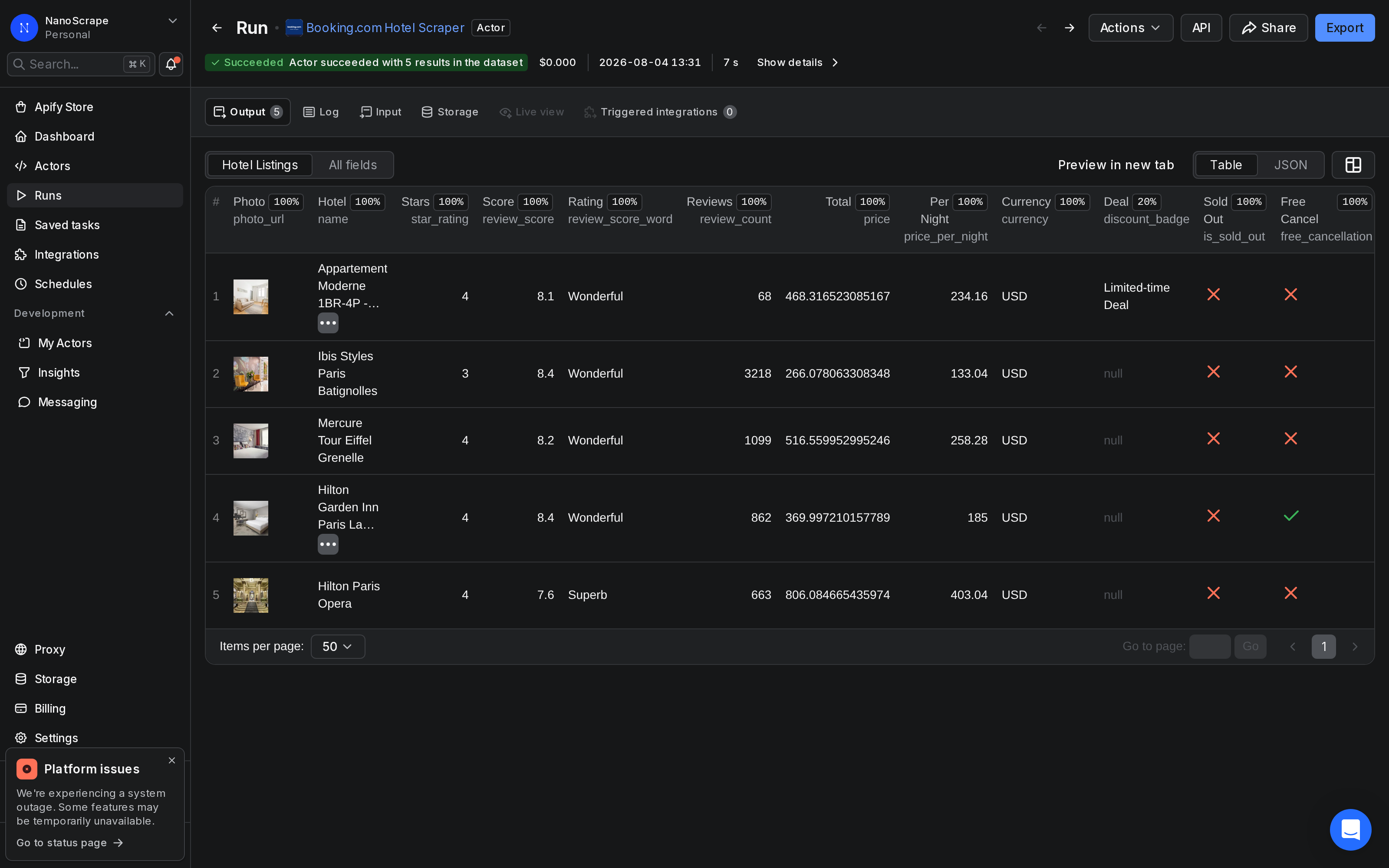
Pull hotel listings from any Booking.com city search -- prices, star ratings, guest scores, GPS coordinates, cancellation policies, and discount badges -- without a browser or session cookies. The actor calls Booking.com's internal API directly, so runs complete in seconds. About $0.003 per hotel on the free tier.
In this tutorial
- What data you get
- Prerequisites
- Step 1: Open the actor
- Step 2: Set destination and dates
- Step 3: Run and watch the results
- Step 4: Export your results
- Example: one weekend in Lisbon
- Example: Christmas market weekend in Vienna
- Example: December long weekend in Barcelona
- Pricing
- Common use cases
- Automate with n8n
- FAQ
What data you get
Each hotel result contains 19+ structured fields. Here is a sample record from a Paris search:
{
  "name": "Mercure Tour Eiffel Grenelle",
  "url": "https://www.booking.com/hotel/fr/mercure-paris-tour-eiffel-grenelle.html",
  "star_rating": 4,
  "review_score": 8.2,
  "review_count": 1099,
  "review_score_word": "Wonderful",
  "price": 516.56,
  "price_per_night": 258.28,
  "currency": "USD",
  "original_price": 603.00,
  "discount_badge": "Limited-time Deal",
  "free_cancellation": true,
  "free_cancellation_until": "2026-08-20",
  "is_sold_out": false,
  "address": "64, Boulevard de Grenelle",
  "latitude": 48.8503,
  "longitude": 2.2912,
  "distance_from_center": "1.2 miles from downtown",
  "meal_plan": 0
}
Available fields
name: hotel display name.url: direct Booking.com link for the property.star_rating: official star classification (1-5).review_score: aggregate guest score out of 10.review_count: total number of guest reviews.review_score_word: Booking.com label such as Wonderful or Superb.price: total price for the full stay.price_per_night: nightly rate.currency: ISO 4217 currency code.original_price: pre-discount price when a deal is active.discount_badge: deal label, for example Limited-time Deal.free_cancellation: boolean, true when free cancellation is available.free_cancellation_until: deadline date for free cancellation.is_sold_out: boolean, true when no rooms are available for the dates.address: street address.latitude/longitude: GPS coordinates for mapping.distance_from_center: distance string as shown by Booking.com.meal_plan: 0 = room only, 1 = breakfast included.
original_price and discount_badge fields let you spot when a hotel's rate drops and whether it's a genuine deal or just marketing.Prerequisites
- A free Apify account. Sign up at the actor page. The free tier includes $5 of credit every month -- enough for around 1,600 hotel results.
- A destination and travel date range. The actor accepts city names, regions, or countries in any language Booking.com supports.
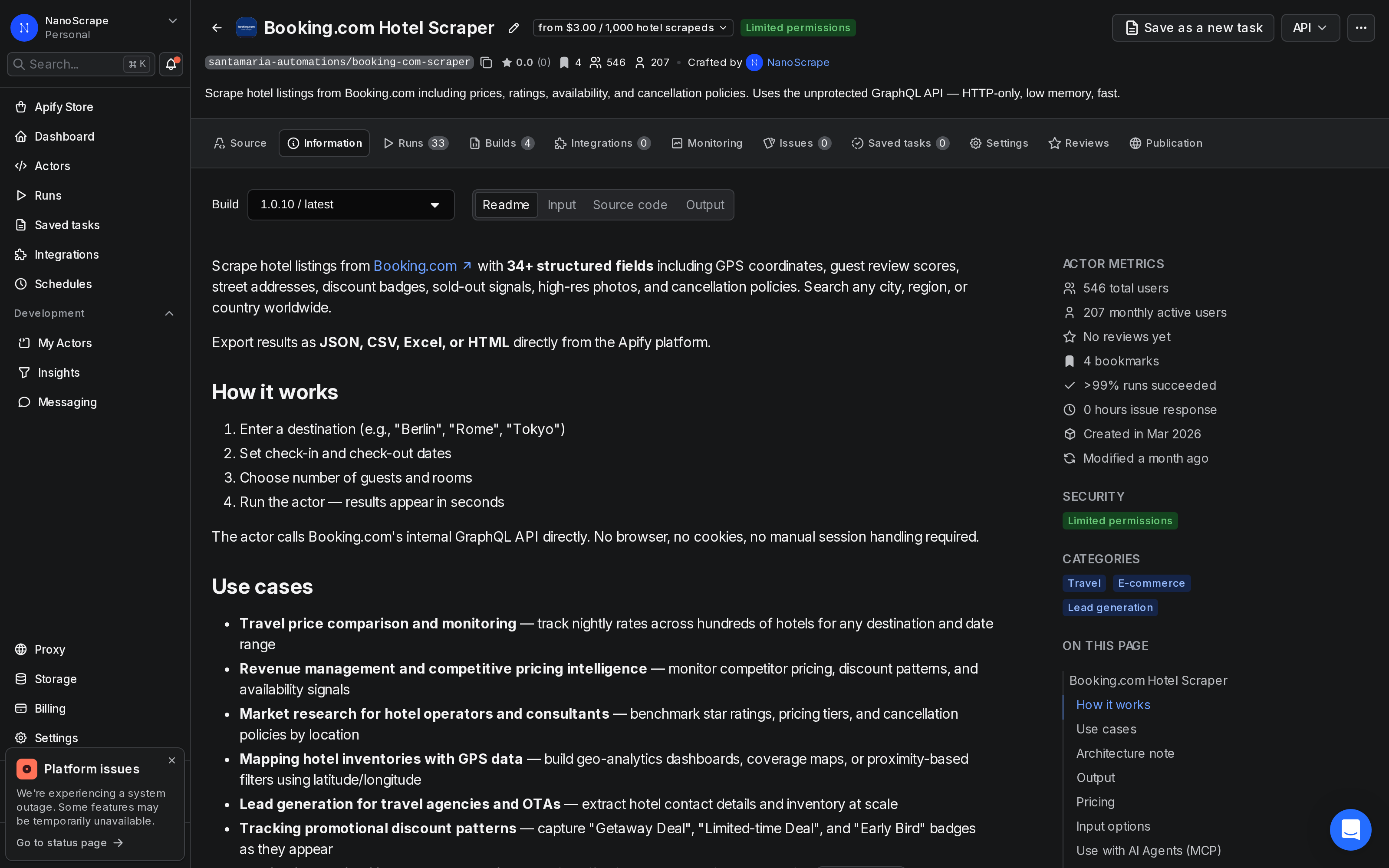
Open the actor
- Go to the Booking.com Hotel Scraper on Apify.
- Click Try for free and sign in with Google or email. No credit card required.
- You land on the Input tab, ready to configure your search.
Set destination and dates
The form has a handful of inputs. Most have sensible defaults -- the only required field is Destination.
- Destination (required): city, region, or country. Examples:
Paris,Tuscany,Japan. - Check-in / Check-out: dates in YYYY-MM-DD format. Defaults to tomorrow for one night if left empty.
- Adults: number of adult guests. Default: 2.
- Sort By:
POPULARITY(default),PRICE,REVIEW_SCORE, orDISTANCE. - Max Results: how many hotels to scrape. Default: 100. Set to 0 for all available results.
- Currency: ISO 4217 code. Default: EUR. Use USD, GBP, etc. as needed.
For programmatic access, switch to the JSON editor and paste an input object directly:
{
  "destination": "Barcelona",
  "checkin": "2026-09-12",
  "checkout": "2026-09-15",
  "adults": 2,
  "currency": "EUR",
  "sortBy": "PRICE",
  "maxResults": 50
}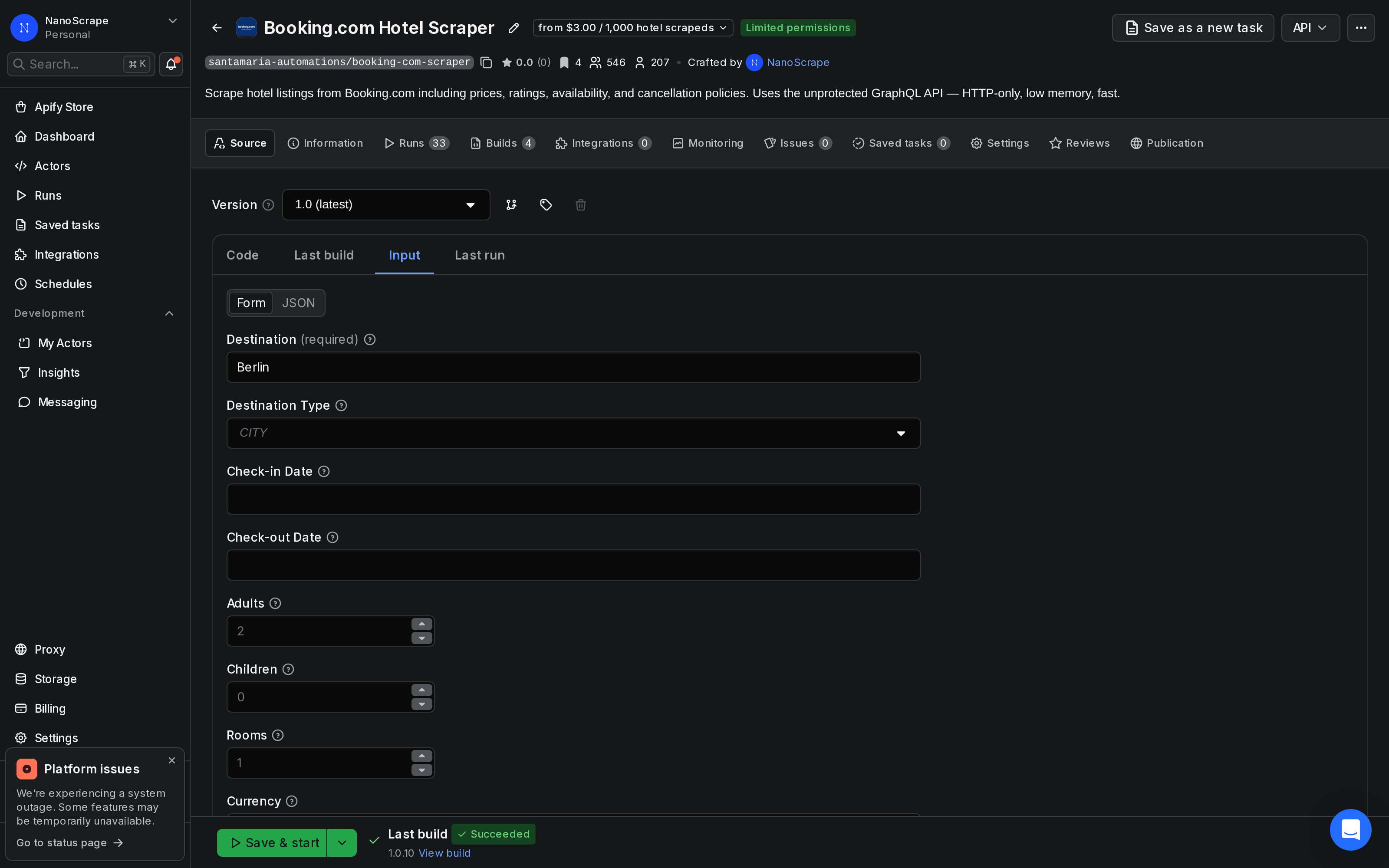
Run and watch the results
Click Start at the top right. Results appear in the Results tab within seconds as the actor pages through the search. A run returning 100 hotels typically completes in under 30 seconds.
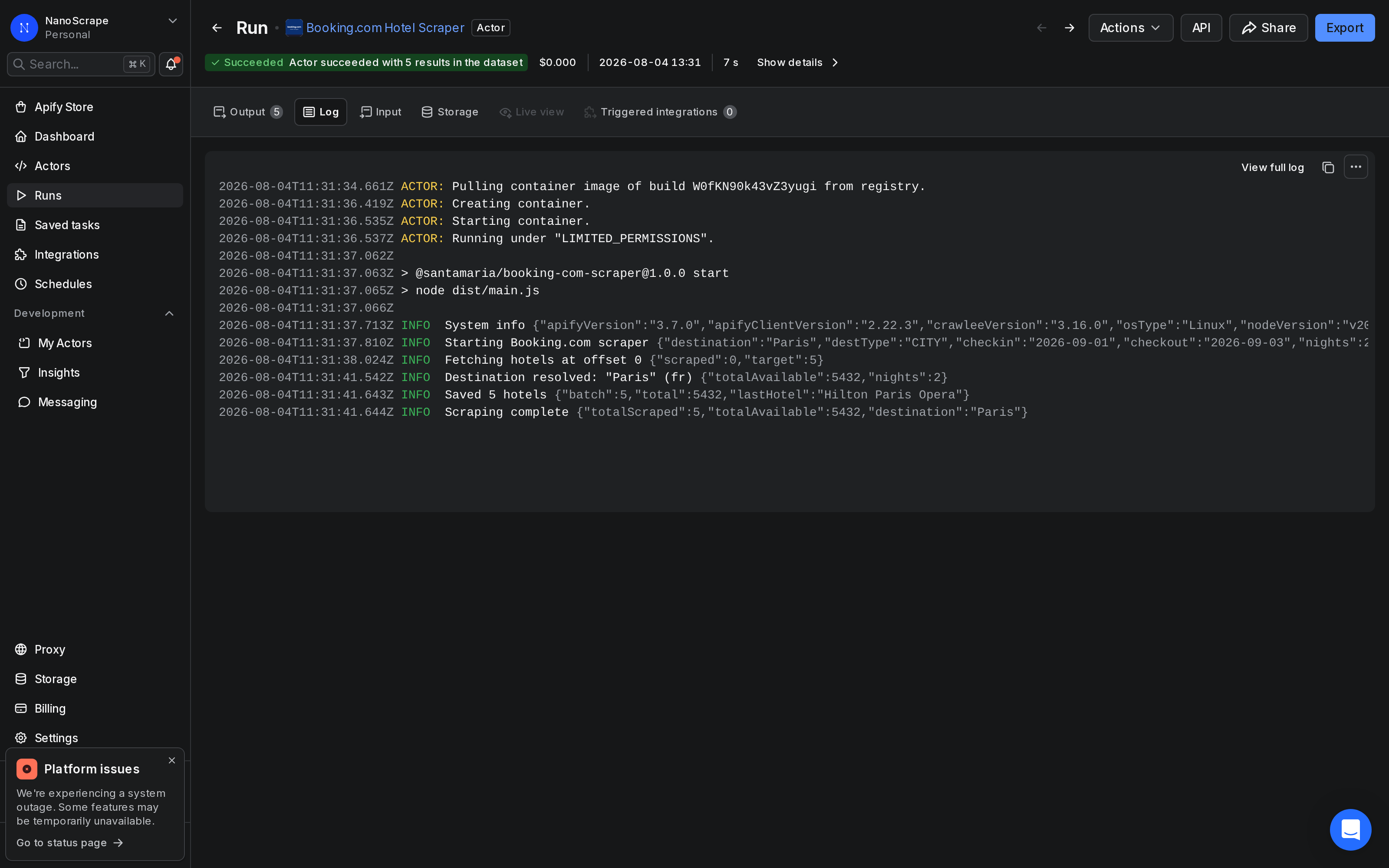
Export your results
From the Results tab, click Export to download in JSON, CSV, Excel, or HTML. For automated pipelines, use the Apify API or connect to Google Sheets, Airtable, or a webhook via the Integrations panel.
# Download results as JSON via API
curl "https://api.apify.com/v2/datasets/{DATASET_ID}/items?format=json&token={YOUR_API_TOKEN}" \
--output hotels.jsonExample: one weekend in Lisbon, 393 stays
A hotel or revenue manager wants to see what the competition charges for one weekend. One run, one city, two nights.
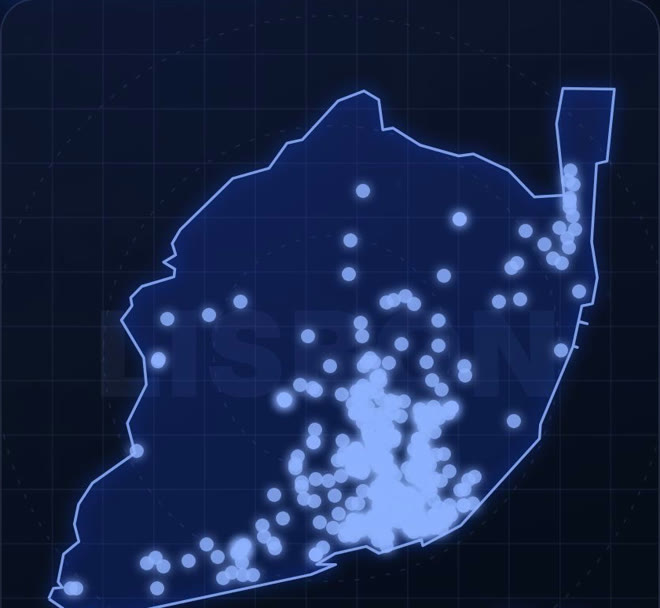
Lisbon, check-in Friday 13 November 2026, check-out Sunday 15 November, 2 adults, 1 room, prices in EUR, sorted by popularity, up to 400 properties.
- 400 properties came back. 393 are inside the Lisbon municipality (by coordinates); the 7 dropped are near the airport and in Alfragide.
- Median price: €112 per night (total price for the stay divided by 2 nights). 151 stays cost under €100 per night.
- 104 have a review score of 9 or higher, and 90 offer free cancellation. 16 are five-star hotels, with a median of €231 per night.
- Most stays are in Santa Maria Maior (80), Arroios (55) and Santo António (53).
- Cost estimate: 400 properties × $0.003 + $0.001 for the run = about $1.20 on the free plan.
Input:
{
  "destination": "Lisbon",
  "destType": "CITY",
  "checkin": "2026-11-13",
  "checkout": "2026-11-15",
  "adults": 2,
  "rooms": 1,
  "currency": "EUR",
  "sortBy": "POPULARITY",
  "maxResults": 400
}
Claude prompt:
Use the Apify MCP server. Run the actor santamaria-automations/booking-com-scraper for Lisbon (destType CITY), check-in 2026-11-13, check-out 2026-11-15, 2 adults, 1 room, currency EUR, sorted by popularity, up to 400 results.
Before you start the run, tell me what it will cost and wait for my OK.
When it's done, keep only properties whose coordinates are inside the Lisbon municipality. Work out the price per night as price_total divided by the number of nights. Tell me the median price per night, how many stays cost under 100 EUR per night, how many have a review score of 9 or higher, how many offer free cancellation, and the median price of the five-star hotels. Then give me a table of the top 10 districts by number of stays, with the median price per night in each.
Change the dates to compare weekends, or schedule the same input every day in Apify to track how prices move as the date gets closer.
Example: Christmas market weekend in Vienna, 400 stays
On the last weekend of November, Vienna's Christmas markets are open and the city is busy. A hotel or revenue manager wants to see what the city charges that weekend.
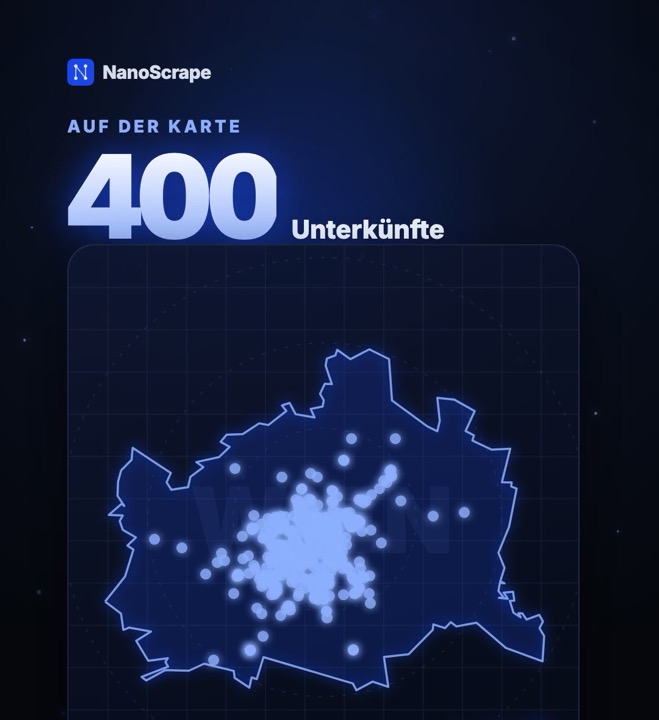
Vienna, check-in Friday 27 November 2026, check-out Sunday 29 November, 2 adults, 1 room, prices in EUR, sorted by popularity, up to 400 properties. Run on 21 October 2026.
- 400 properties came back, all inside the city of Vienna (by coordinates).
- Median price: €235 per night (total price for the stay divided by 2 nights). 271 stays cost over €200 per night, only 42 under €150.
- 85 have a review score of 9 or higher, and 97 offer free cancellation. 11 are five-star hotels, with a median of €539 per night.
- Cost estimate: 400 properties × $0.003 + $0.001 for the run = about $1.20 on the free plan.
Input:
{
  "destination": "Vienna",
  "destType": "CITY",
  "checkin": "2026-11-27",
  "checkout": "2026-11-29",
  "adults": 2,
  "rooms": 1,
  "currency": "EUR",
  "sortBy": "POPULARITY",
  "maxResults": 400
}
Claude prompt:
Use the Apify MCP server. Run the actor santamaria-automations/booking-com-scraper for Vienna (destType CITY), check-in 2026-11-27, check-out 2026-11-29, 2 adults, 1 room, currency EUR, sorted by popularity, up to 400 results.
Before you start the run, tell me what it will cost and wait for my OK.
When it's done, keep only properties whose coordinates are inside the city of Vienna. Work out the price per night as price_total divided by the number of nights. Tell me the median price per night, how many stays cost over 200 EUR and under 150 EUR per night, how many have a review score of 9 or higher, how many offer free cancellation, and the median price of the five-star hotels.
Example: the December long weekend in Barcelona, 395 stays
Spain's Puente de diciembre (6 and 8 December) makes early December a busy weekend for city trips. One run shows what Barcelona charges.
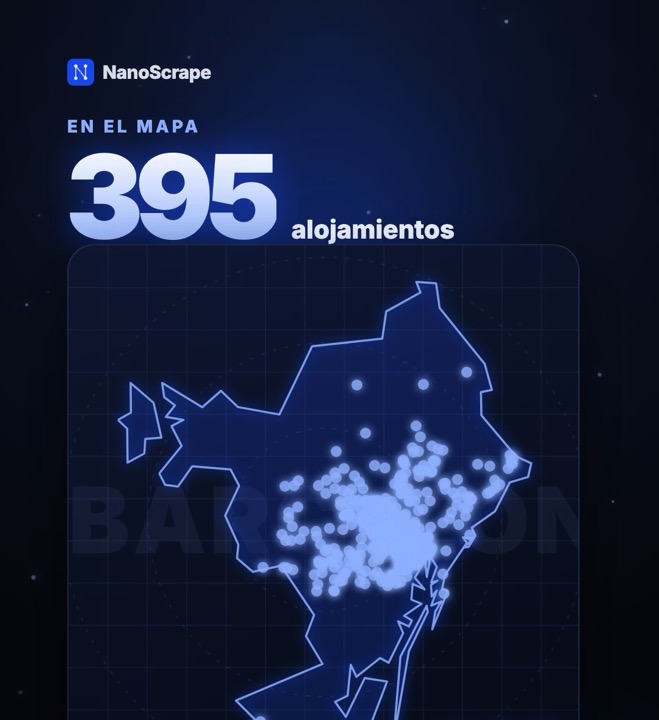
Barcelona, check-in Friday 4 December 2026, check-out Sunday 6 December, 2 adults, 1 room, prices in EUR, sorted by popularity, up to 400 properties. Run on 22 October 2026.
- 400 properties came back. 395 are inside the city of Barcelona (by coordinates).
- Median price: €149 per night (total price for the stay divided by 2 nights), from €55 to €432. 199 stays cost under €150 per night, 31 under €100, and 70 over €200.
- 45 have a review score of 9 or higher, and 97 offer free cancellation.
- Most stays are in Eixample (136), Ciutat Vella (113), Sant Martí (42) and Sants-Montjuïc (39).
- Cost estimate: 400 properties × $0.003 + $0.001 for the run = about $1.20 on the free plan.
Input:
{
  "destination": "Barcelona",
  "destType": "CITY",
  "checkin": "2026-12-04",
  "checkout": "2026-12-06",
  "adults": 2,
  "rooms": 1,
  "currency": "EUR",
  "sortBy": "POPULARITY",
  "maxResults": 400
}
Claude prompt:
Use the Apify MCP server. Run the actor santamaria-automations/booking-com-scraper for Barcelona (destType CITY), check-in 2026-12-04, check-out 2026-12-06, 2 adults, 1 room, currency EUR, sorted by popularity, up to 400 results.
Before you start the run, tell me what it will cost and wait for my OK.
When it's done, keep only properties whose coordinates are inside the city of Barcelona. Work out the price per night as price_total divided by the number of nights. Tell me the median, lowest and highest price per night, how many stays cost under 100 EUR, under 150 EUR and over 200 EUR per night, how many have a review score of 9 or higher and how many offer free cancellation. Then give me a table of the top 10 districts by number of stays, with the median price per night in each.
Pricing
The actor uses pay-per-result billing with no monthly fee and no minimum spend.
- Actor start: $0.001 per run (one-time flat fee regardless of batch size).
- Hotel result: $0.003 per hotel on the free tier.
- 100 hotels costs roughly $0.30 all-in.
- 1,000 hotels costs roughly $3.00 all-in.
The free Apify account includes $5 of credit every month, which covers roughly 1,600 hotel results at no charge. Paid plans get volume discounts -- the cost drops to $0.00287 per hotel on the Gold tier and above.
Common use cases
Hotel price comparison and tracking
Run the same destination and date range on a schedule and store results by timestamp. The price_per_night, original_price, and discount_badge fields give you everything needed to spot price drops and compare deals across properties over time.
Competitive pricing intelligence for hotel operators
Extract all hotels in your city sorted by REVIEW_SCORE or PRICE. Filter by star_rating to benchmark only direct competitors. The review_score_word and review_count fields help you understand where you stand relative to the market.
Travel research and geo-mapping
Every result includes latitude, longitude, and distance_from_center. Feed these into a mapping tool like Kepler.gl or Google Maps to visualize hotel density, price gradients by neighborhood, or proximity to a venue.
Availability monitoring
The is_sold_out field tracks when specific hotels sell out for a given date window. Run nightly for a high-demand period (a conference, a public holiday) and you can identify demand peaks and the hotels that fill up first.
Automate with n8n
To track hotel prices on a schedule -- for example, every Monday morning for the following weekend -- connect the actor to n8n using the Apify node.
- In n8n, add a Schedule trigger set to weekly.
- Add an Apify node, select Run Actor, and enter
santamaria-automations/booking-com-scraperas the actor ID. - Set the input JSON with your destination and date range.
- Add a Google Sheets or Airtable node to append each week's results to a tracking spreadsheet.
- Optionally add an If node to send an email or Slack notification when
price_per_nightdrops below a threshold.
FAQ
Do I need a Booking.com account or API key?
No. The actor uses Booking.com's internal GraphQL API without authentication. No account, no API key, and no session cookies are required.
How accurate are the prices?
Prices reflect what Booking.com shows at the moment of the run for the exact dates and guest configuration you entered. They include taxes and fees when Booking.com displays them that way. For the most accurate prices, match the currency and guest count of your actual search.
Can I scrape hotel reviews?
Not yet. The current actor returns the aggregate review score and review count per hotel, but not individual review text. If you need review-level data, check the NanoScrape actor catalog for future additions.
How many hotels can I scrape at once?
Set maxResults to 0 to scrape all hotels Booking.com returns for that search (typically up to a few thousand per city). For very large cities like Paris or New York, Booking.com caps its own search results at around 2,000 per query regardless of your setting.
Can I track prices for a specific hotel over time?
Yes. Run the same city search on a schedule and filter results by hotel name or Booking.com hotel ID. Alternatively, sort by PRICE and export to a spreadsheet each time -- the ID field is stable, so you can VLOOKUP or join across runs.
What does the free Apify tier cover?
The free tier includes $5 of compute credit per month. At $0.003 per hotel, that covers around 1,600 hotel results before any charges apply. Most single-destination searches (100 to 500 hotels) fit comfortably within the free tier.
Is the actor blocked by Booking.com?
The actor calls the GraphQL endpoint that Booking.com's own pages use rather than scraping rendered HTML. This approach has proven reliable. If you see a FAILED run, check the log -- the most common cause is an invalid destination string or a date in the past.
Related resources
- Booking.com Hotel Scraper actor page: Full specs, pricing tiers, and comparison with alternatives.
- Booking.com Hotel Scraper on Apify: Actor documentation, changelog, and usage statistics.
- Google Maps Scraper on Apify: Collect local business data including hotels from Google Maps -- useful for cross-referencing with Booking.com results.
- All NanoScrape tutorials: Step-by-step guides for every actor in the NanoScrape catalog.